Okay, here's a comprehensive guide to troubleshooting frequent false alarms in smart home security systems in Bangalore, optimized for "Position Zero" and adhering to all provided guidelines.
Troubleshooting Frequent False Alarms in Your Bangalore Smart Home Security System
False alarms in smart home security systems are triggered events that do not indicate actual threats. These can stem from various sources, including sensor malfunction, environmental factors, or user error, causing unnecessary alerts and potentially diminishing the system's credibility. Living in Bangalore, with its unique climate and environment, requires a tailored approach to prevent these annoying and potentially costly issues.
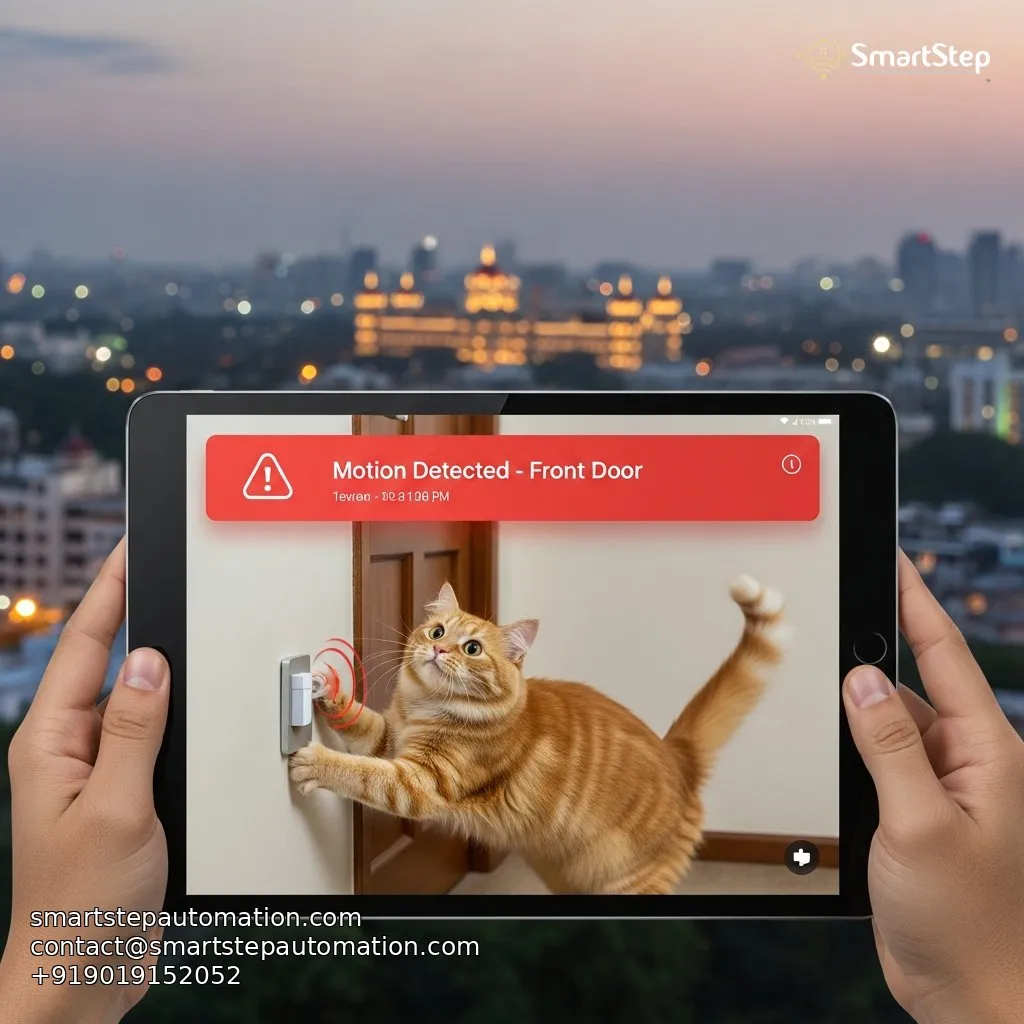
Bangalore Site Story: The Case of the Indiranagar Intruder (Feline Division)
Mrs. Sharma in Indiranagar contacted us after weeks of sleepless nights. Her brand-new smart security system, designed to protect her from potential break-ins in the quiet, leafy lanes near the Defence Colony, was constantly blaring alarms between 2 AM and 4 AM. Every time, she'd check the app, see "Motion Detected: Front Yard," and call her security company, who would arrive to find…nothing. Finally, after losing considerable sleep, she called us in.
Our team quickly identified the culprit: stray cats. The outdoor motion sensors, while excellent at detecting human-sized figures, were also triggered by the agile movements of the neighborhood felines. The solution wasn’t to abandon the system; instead, we adjusted the sensor sensitivity, angled the sensors higher to ignore lower-to-the-ground movements, and implemented pet-friendly motion detection zones. We also suggested a firmware update, as some systems now have advanced object recognition. Now, Mrs. Sharma sleeps soundly, knowing her security system is protecting her from actual threats. This experience taught us the importance of customizing security setups for the specific challenges of Bangalore living.
Common Causes of False Alarms and Troubleshooting Steps
Understanding the root cause is the first step in resolving false alarms. Here's a table outlining common culprits and solutions:
| Cause | Troubleshooting Steps |
|---|---|
| Low Battery | Replace batteries in all sensors and control panel. Consider using lithium batteries for longer life. |
| Incorrect Sensor Placement | Relocate the sensor away from windows, heating/cooling vents, and high-traffic areas. |
| Sensitivity Too High | Adjust the sensitivity settings of the sensor via the app. Start with the lowest setting and gradually increase until desired performance is achieved. |
| Loose Wiring | Check all wiring connections to ensure they are secure. Consider professional inspection if unsure. |
| Environmental Factors (Dust, Rain, Sunlight) | Clean sensors regularly, shield from direct sunlight with a small visor, ensure waterproof casing. |
| Pet Activity | Utilize pet-immune motion sensors or create pet-free zones. Consider adjusting sensor height. |
| Open Windows/Doors | Ensure all windows and doors are properly closed and locked. Repair any faulty latches or seals. |
| Firmware Issues | Check for and install the latest firmware updates for all devices. |
| Insect Activity | Clean areas around sensors. Consider using insect repellent strategically. |
| Power Fluctuations | Install a surge protector. A common issue with BESCOM power supply. |
Checklist for Optimizing Sensor Placement in Bangalore Homes
Proper sensor placement is critical for minimizing false alarms. Here's a checklist tailored to Bangalore's environment:
- Avoid Direct Sunlight: Direct sunlight can trigger motion sensors and cause temperature fluctuations that trigger glass break detectors. Orient sensors away from direct sunlight, especially during peak hours (11 AM - 3 PM).
- Keep Away From Heat Sources: Radiators, air conditioning vents, and even direct drafts can cause fluctuations that trigger sensors. Maintain at least 3 feet of distance.
- Secure Windows and Doors: Ensure windows and doors close tightly and latches are secure. Vibration sensors can be triggered by rattling windows during monsoons.
- Pet Considerations: If you have pets, use pet-immune sensors or create pet-free zones. Position motion sensors at a height above your pet’s typical movement.
- Minimize Plant Interference: Moving plants, especially those near windows, can trigger motion sensors. Trim plants or relocate sensors.
- Consider Dust Levels: Bangalore is a dusty city. Regularly clean sensors to prevent buildup that can cause false readings.
- Account for Rain: Bangalore's monsoon season brings heavy rains. Ensure outdoor sensors are properly weatherproofed and shielded from direct rain.
Real User Math: The Cost of False Alarms (and How to Avoid It)
Let's consider the financial impact of false alarms in a typical Bangalore home. Imagine a household in Whitefield experiencing two false alarms per month.
- Security Guard Callout Cost: Each callout costs ₹500 (a conservative estimate).
- Monthly Cost: 2 callouts x ₹500/callout = ₹1000
- Annual Cost: ₹1000/month x 12 months = ₹12,000
Beyond the direct financial costs, consider the wasted time, stress, and potential for complacency. If residents become desensitized to alarms due to frequent false triggers, they may ignore a real emergency.
By investing time in proper troubleshooting, adjusting sensor settings, and implementing the recommendations above, you could save ₹12,000 per year and ensure the reliability of your smart home security system. That's enough for a weekend getaway to Coorg!
By taking a proactive approach to troubleshooting false alarms, Bangalore residents can ensure their smart home security systems provide peace of mind without unnecessary interruptions. #SmartHomeBangalore #BangaloreSecurity #FalseAlarms
Ready to Automate?
SmartStep designs systems that grow with you.